
Track & Launch
For Heads of Marketing, Supply Chain and leadership
Launch Tracker
Launch readiness tracking for pharma
Track approval, artwork, pricing, launch stock and distributor readiness for every product in every market. Leadership sees which launches, and which revenue, are at risk.
Launch checklists are maintained in separate spreadsheets, and a missing element is often discovered only days before launch.
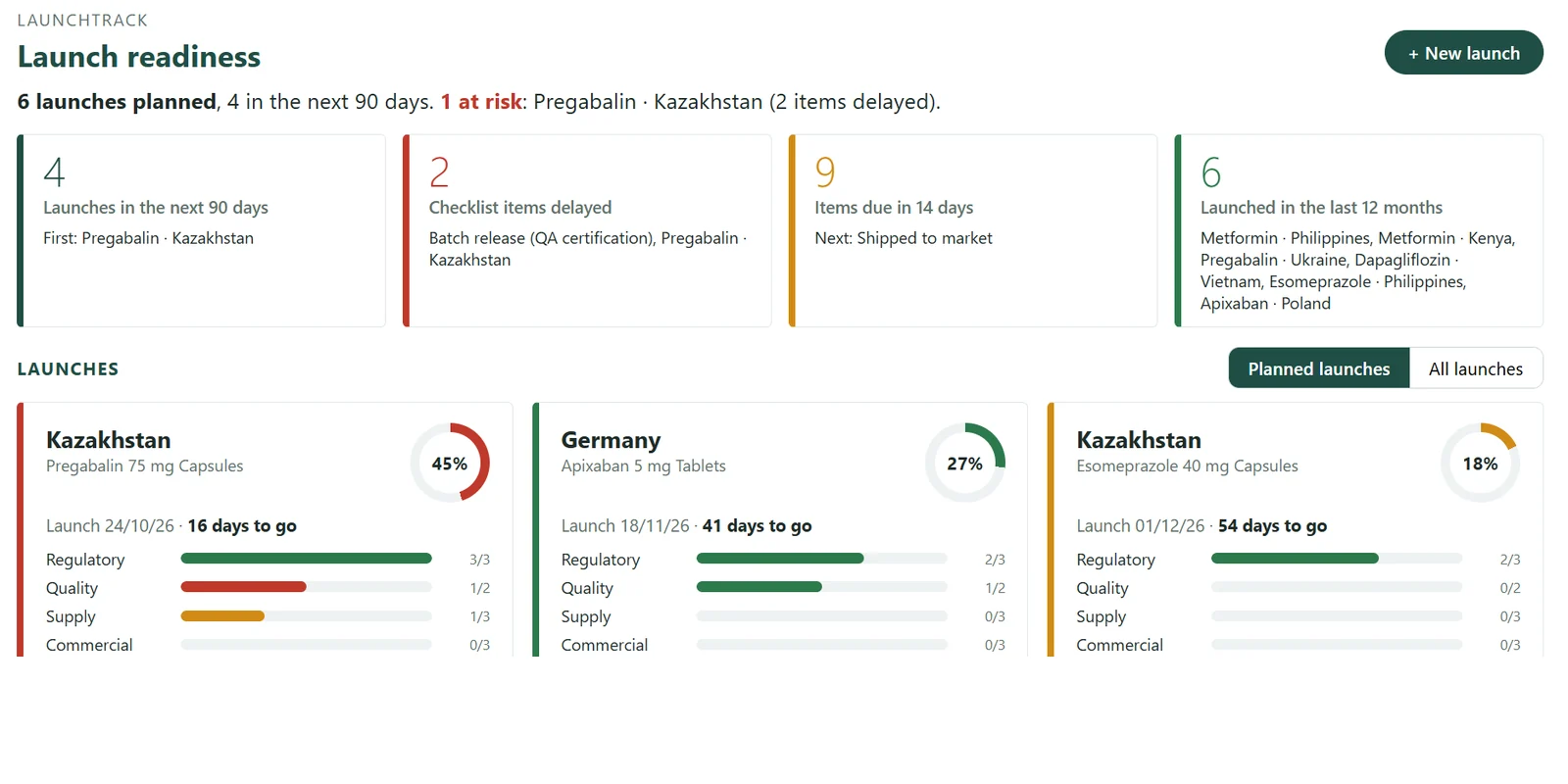
Launch readiness 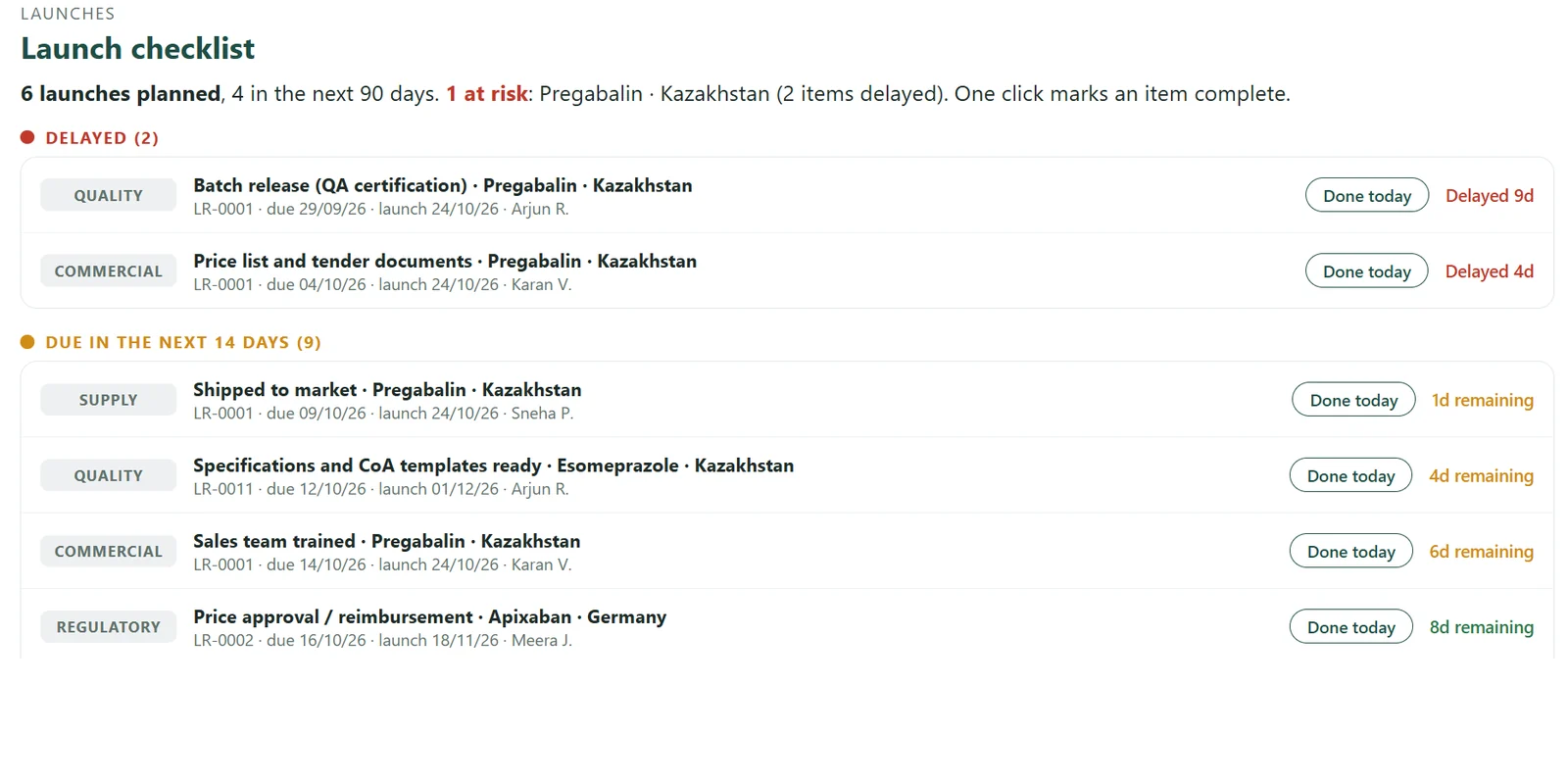
Launch checklist 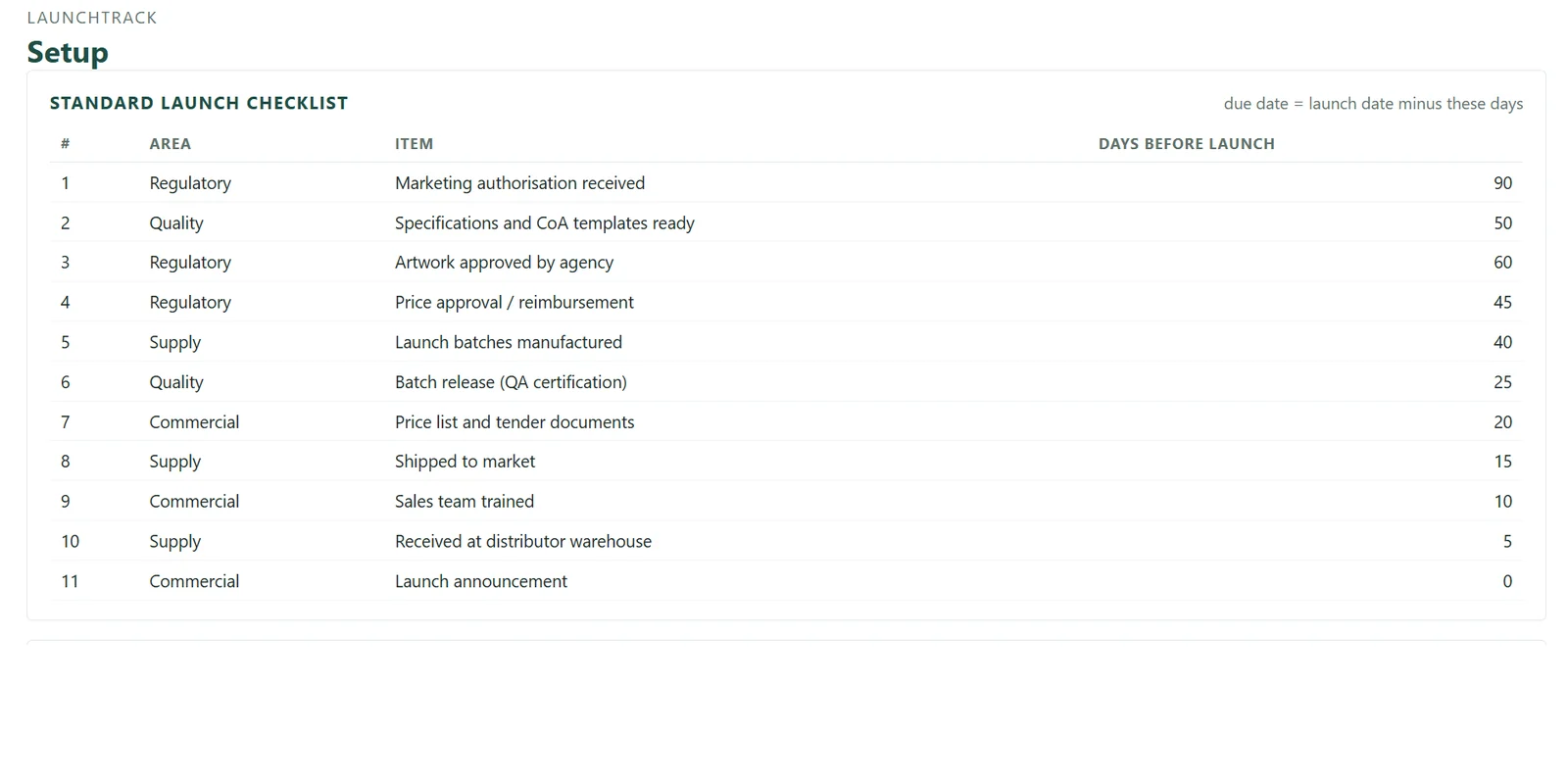
Standard launch checklist
Indicative screenshots with sample data. Actual screens may vary with configuration.
For leadership: what you see
Launches at risk this month, open items by owner, and dates that have moved.
The question it answers
Which launches will slip this quarter, and why?
Start within a few weeks
One tracker, your current Excel imported, live inside your Microsoft 365.
Questions
Answered in seconds
Key features
Every launch, ready market by market
? Which launches are at risk this month?
Readiness checklist
Approval, artwork, pricing, launch stock and distributor, by market.
At-risk alerts
Launches approaching their date with open items are flagged.
? What remains outstanding for each market?
Market view
Every product-market launch in a single register.
Approval linkage
Approval status drawn from the RA Tracker when both are in use.
? Who is accountable for the next action?
Ownership and deadlines
Every item assigned an owner and a target date.
Launch calendar
Planned launches across all markets.
Who uses it
Leadership sees which launches are on schedule.
Functional heads close the items they own.
Launch managers update readiness each week.
Works with
RA Tracker
Approvals inform launch readiness
Portfolio & Product Selection
Launch priorities by market
NPD Project Management
Continuity from development to launch
How you start
Engage with us – Experience measurable value within 30 days.
1
Choose one tracker
Begin where the pain is sharpest.
2
We study your environment and import your data
We review your Microsoft 365 setup and current Excel registers. History is retained where the data allows.
3
Live within a few weeks
Inside your existing Microsoft 365; no new servers.
4
Extend when it proves its value
Add trackers and the leadership view as you grow.
FAQ
Frequently asked questions
Can we use our own checklist items?
Yes. Checklist items and markets are configured to your organisation.
Does it require the RA Tracker?
No. It operates independently. When used with the RA Tracker, approval status is shared between the two.
Can we start from our current launch plan?
Yes. Existing launch plans are imported at implementation.
How quickly can we start?
Typically within a few weeks, beginning with your existing registers in Excel.
Do we need new software?
No. The tracker runs within your existing Microsoft 365; no new servers are required.
Download the Launch Tracker brochure
A two-page overview of capabilities, sent to your email.
See the Launch Tracker with sample data
A guided walkthrough of your own process, led by PMSoft.