
Track & Launch
For Heads of Regulatory Affairs and leadership
RA Tracker
Regulatory registration tracking for pharma
As a centralized regulatory registration tracker, PMSoft gives leadership and regulatory affairs heads one unified view of every product, every regulator, and every country, so a missed renewal or query deadline never reaches leadership as a surprise.
Spreadsheets serve well until the portfolio grows. Beyond that point, a single missed renewal can interrupt supply to an entire market.
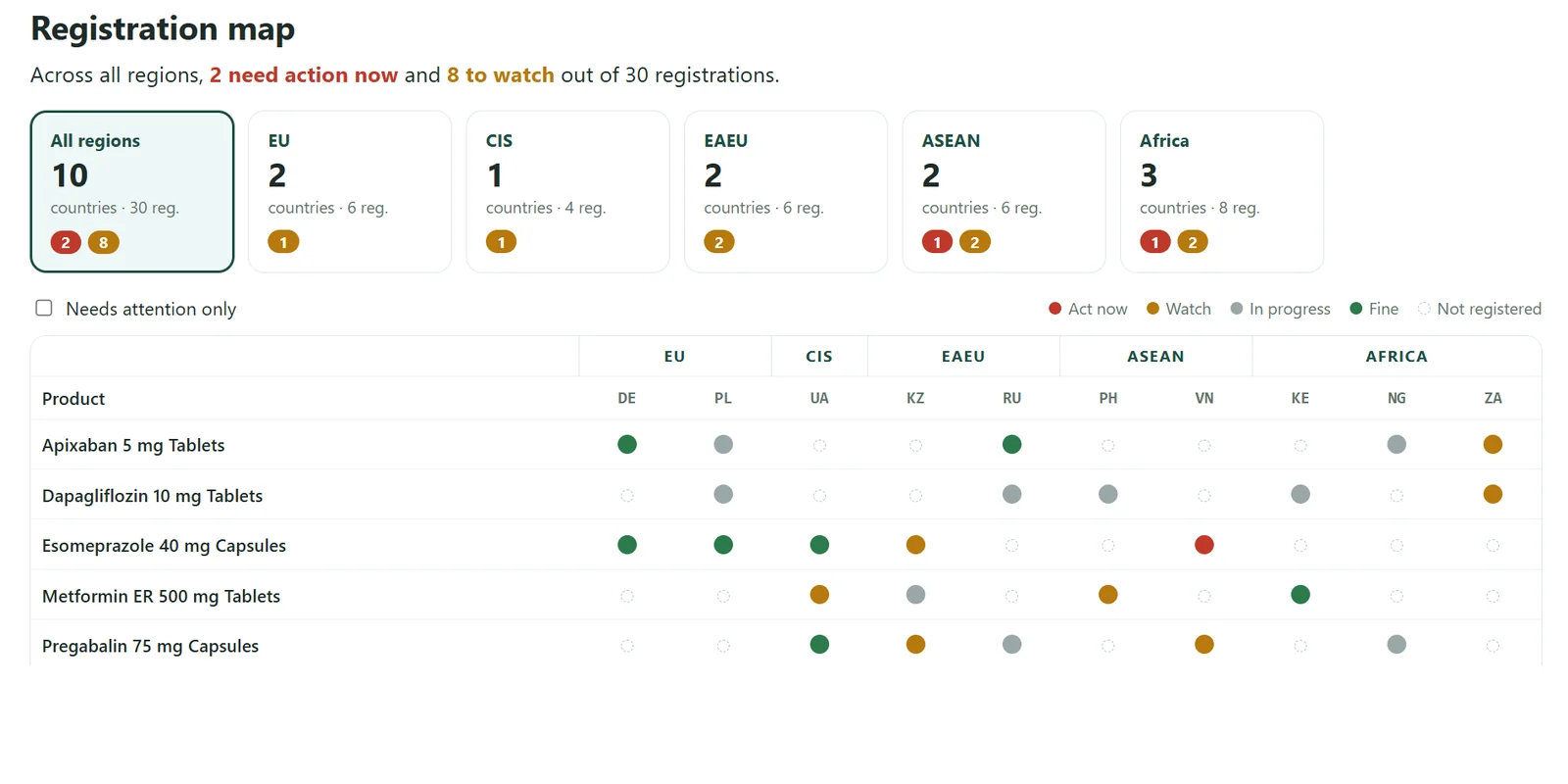
Registration map 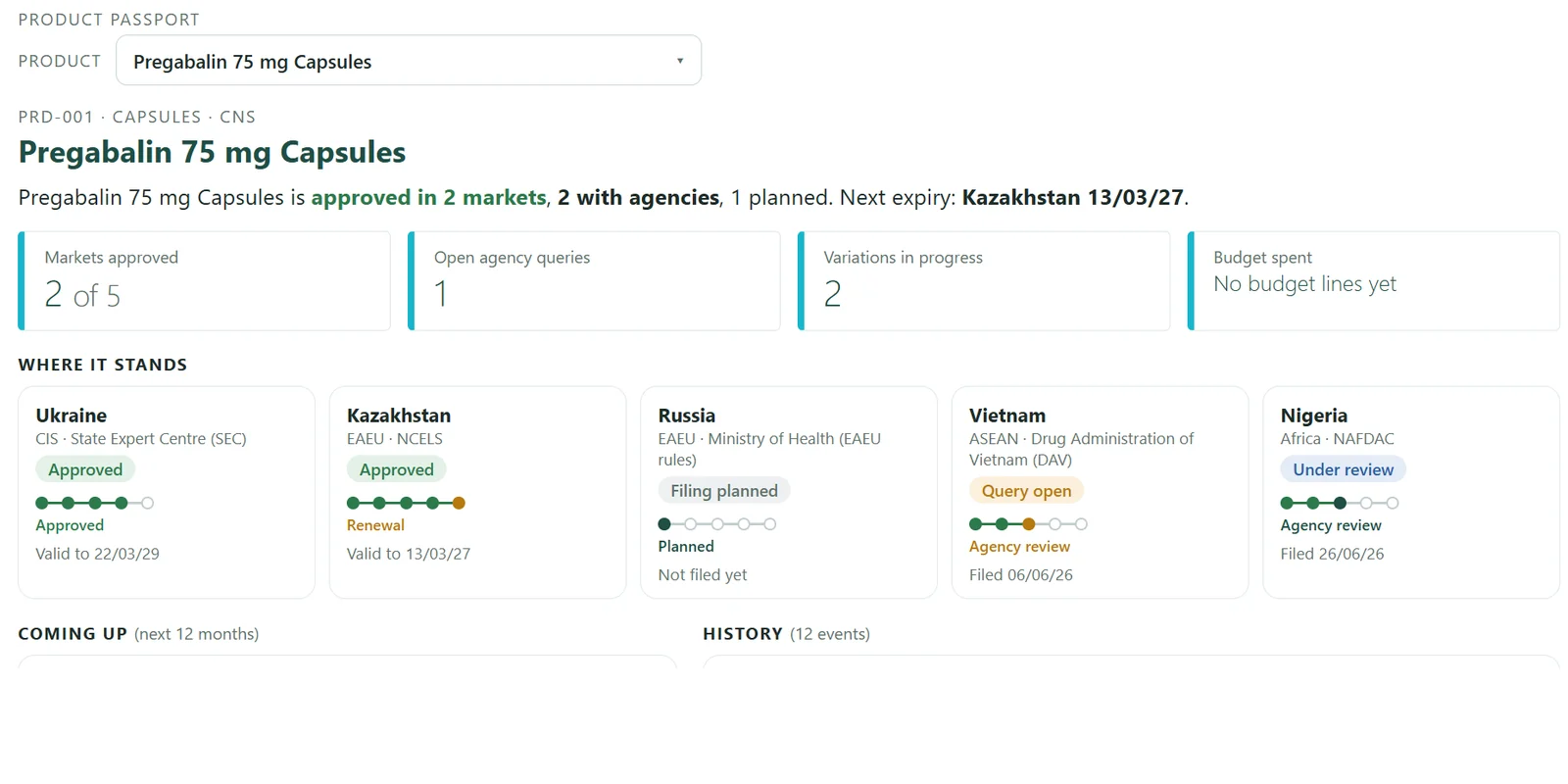
Product passport 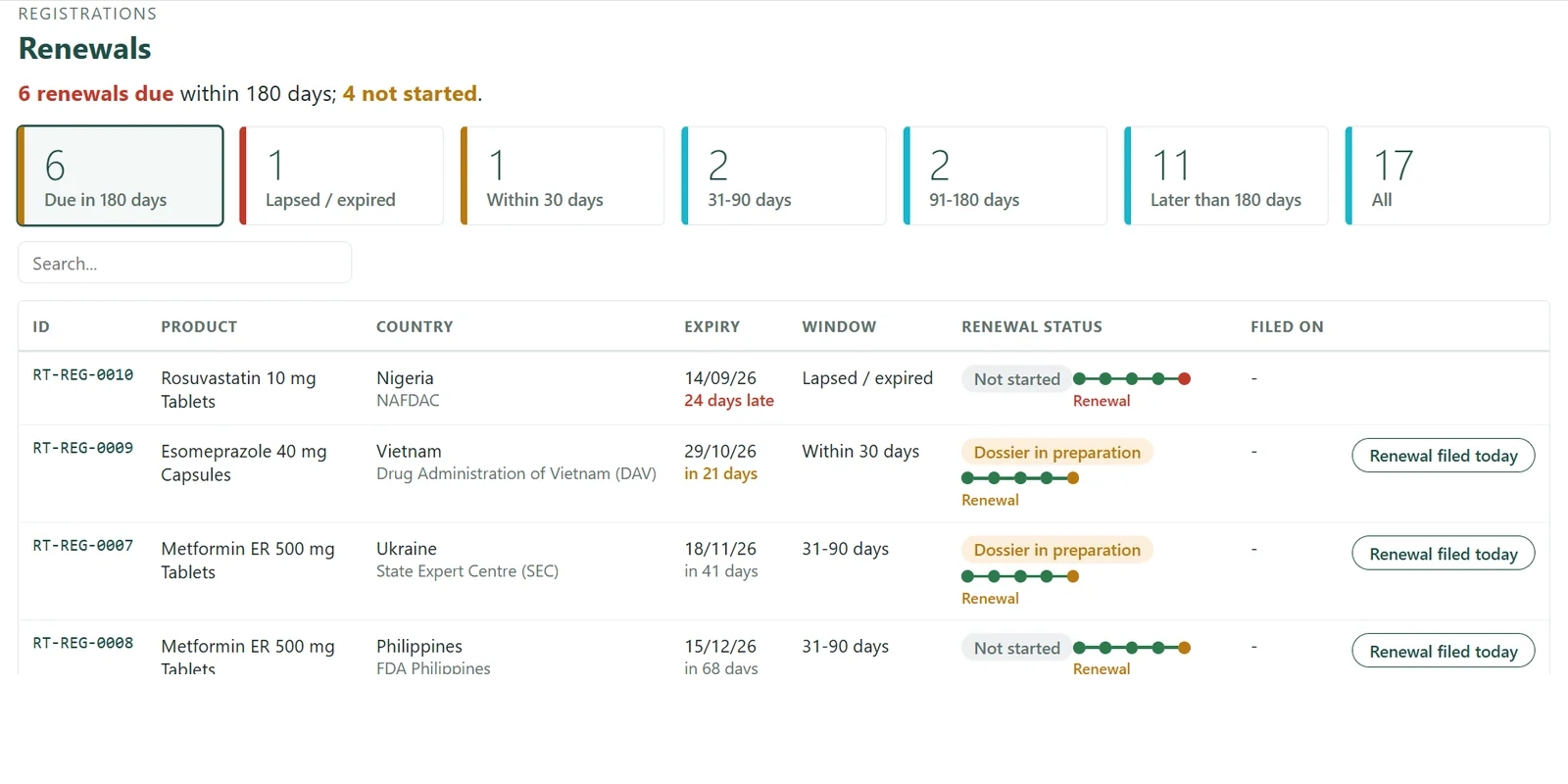
Renewals 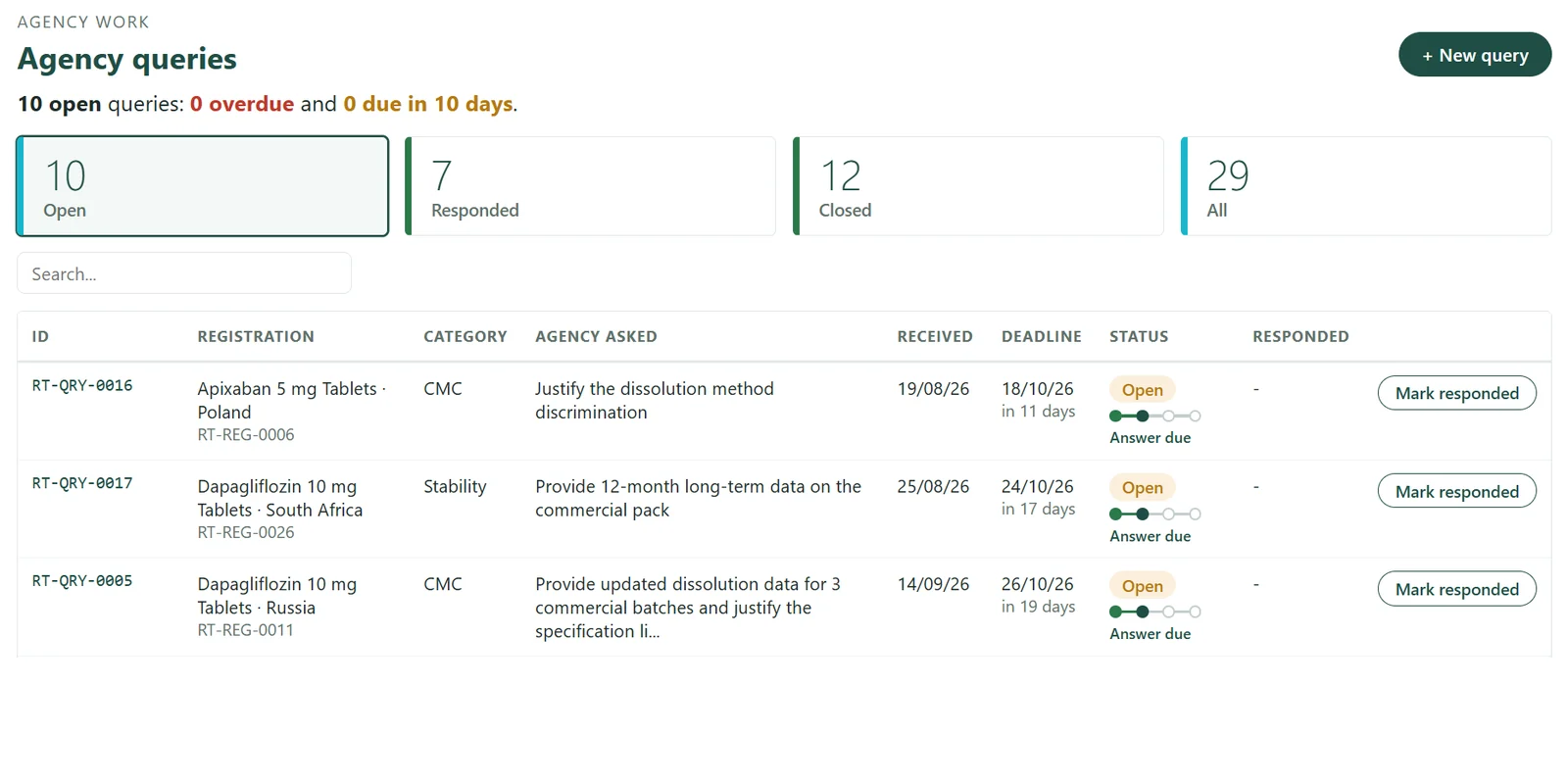
Agency queries
Indicative screenshots with sample data. Actual screens may vary with configuration.
Overview
What is regulatory registration tracking?
One register of every product registration, renewal, variation and agency query, across every country, so nothing expires or goes unanswered by surprise.
Every registration, one register
Each product-market registration in one place, with a country map.
Warned before expiry
Renewals due in 30, 60 and 90 days are listed in advance.
Every query has an owner
Each agency query shows its deadline and who is responsible.
For leadership: what you see
Registrations at risk by market, overdue agency queries and their owners.
The question it answers
Which markets are at risk of supply interruption this quarter?
Start within a few weeks
One tracker, your current Excel imported, live inside your Microsoft 365.
Questions
Answered in seconds
Key features
Every regulatory obligation, in one tracker
? Which registrations expire within the next 90 days?
Registrations by country
Every product-market registration in one register, with a country map.
Renewals calendar
Expiry dates and renewal windows, with items due in 30, 60 and 90 days.
? Which regulatory queries are due for response this week?
Variations and supplements
Each change tracked by country, from submission to approval.
Agency queries
Every regulatory query with its response deadline and owner.
? Which variations are awaiting approval, and in which markets?
Samples and sign-offs
Sample dispatches and internal approvals that gate submissions.
DMF changes
Supplier changes affecting your filings, recorded in one log.
How it works
How registration tracking works
1. Import your registers
Your current Excel registers are imported, with history kept where the data allows.
2. Track every change
Variations and supplements followed by country, from submission to approval.
3. See what is due
Renewals and query deadlines listed 30, 60 and 90 days ahead.
4. Report by market
Leadership sees registrations at risk by market, and their owners.
Example
Example: one missed renewal
An illustrative scenario, not a client result.
A product registration in one export market is due for renewal in 60 days.
With spreadsheets
The expiry date sits in one team member’s register. It is noticed late, and supply to that market is at risk.
With the RA Tracker
The renewal appears 90, 60 and 30 days ahead with a named owner, and the renewal is filed on time.
Who uses it
Leadership sees the same position without a status meeting.
Regulatory executives maintain records and respond to queries.
Heads of Regulatory Affairs review upcoming and overdue items each week.
Works with
Launch Tracker
Approvals inform launch readiness
CRO Tracker
Filings dependent on study completion
NPD Project Management
Filing milestones within the project plan
How you start
Engage with us – Experience measurable value within 30 days.
1
Choose one tracker
Begin where the pain is sharpest.
2
We study your environment and import your data
We review your Microsoft 365 setup and current Excel registers. History is retained where the data allows.
3
Live within a few weeks
Inside your existing Microsoft 365; no new servers.
4
Extend when it proves its value
Add trackers and the leadership view as you grow.
FAQ
Frequently asked questions
Can we start with our existing Excel registers?
Yes. Registration data is imported from your existing files at implementation, so historical records are retained.
Is this a submission or eCTD publishing system?
No. It is a management tracker for dates, status and accountability. Dossiers and submissions remain in your existing systems, and it is not GxP-validated.
Can it be configured for our markets and data fields?
Yes. Countries, products, statuses and fields are configured to your organisation. Further customisation is quoted separately.
How quickly can we start?
Typically within a few weeks, beginning with your existing registers in Excel.
Do we need new software?
No. The tracker runs within your existing Microsoft 365; no new servers are required.
Download the RA Tracker brochure
A two-page overview of capabilities, sent to your email.
See the RA Tracker with sample data
A guided walkthrough of your own process, led by PMSoft.