
Track & Launch
For Heads of QC, F&D and leadership
Stability Tracker
Stability study tracking for pharma
Our digital stability study tracker helps pharma QC and F&D teams manage every stability pull point by batch and storage condition, with upcoming and overdue pulls clearly highlighted. Leadership sees which filings depend on stability data that is late.
Pull schedules are maintained in a separate spreadsheet for each study, and a single missed pull can compromise months of stability data.
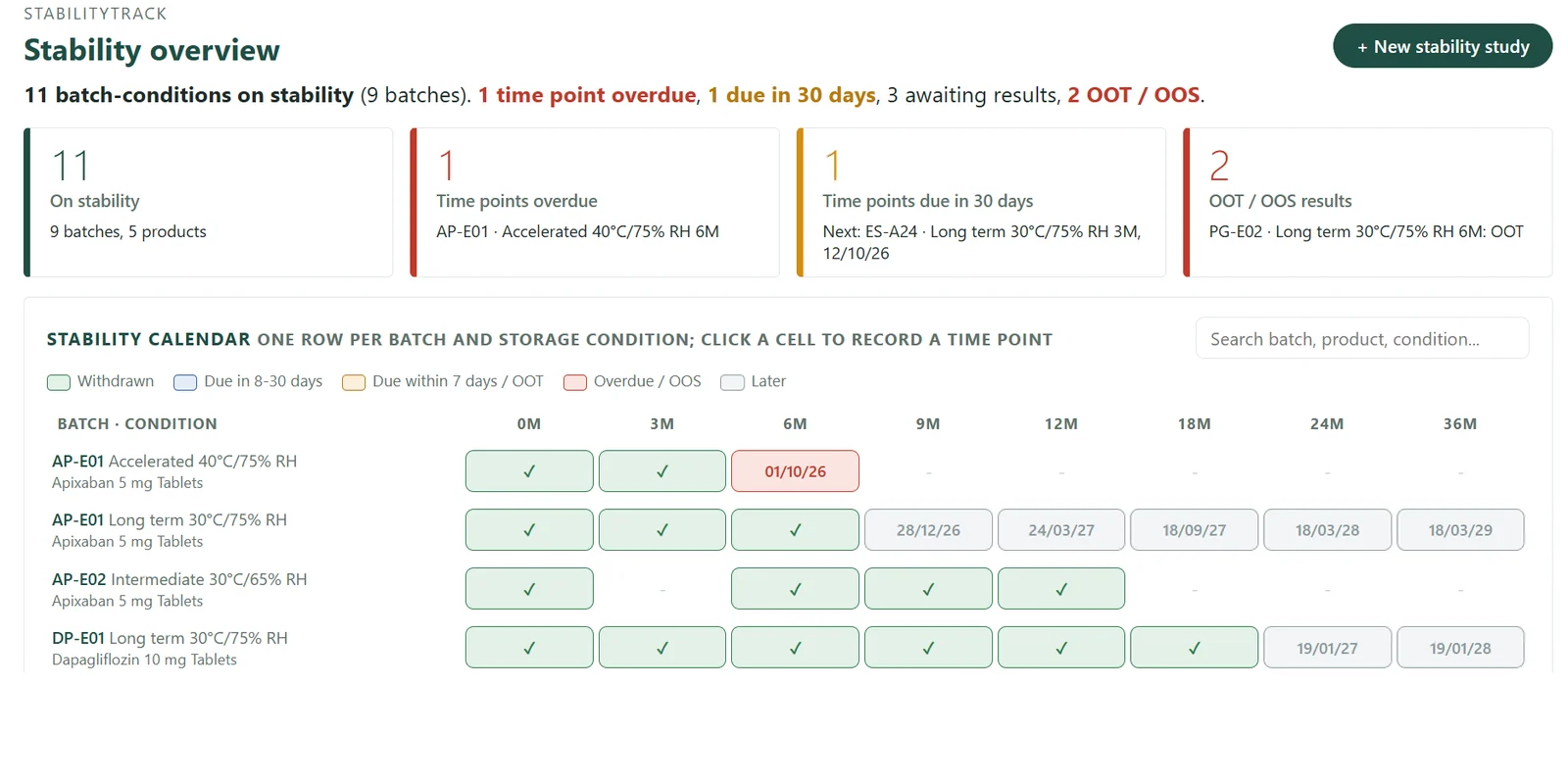
Stability overview 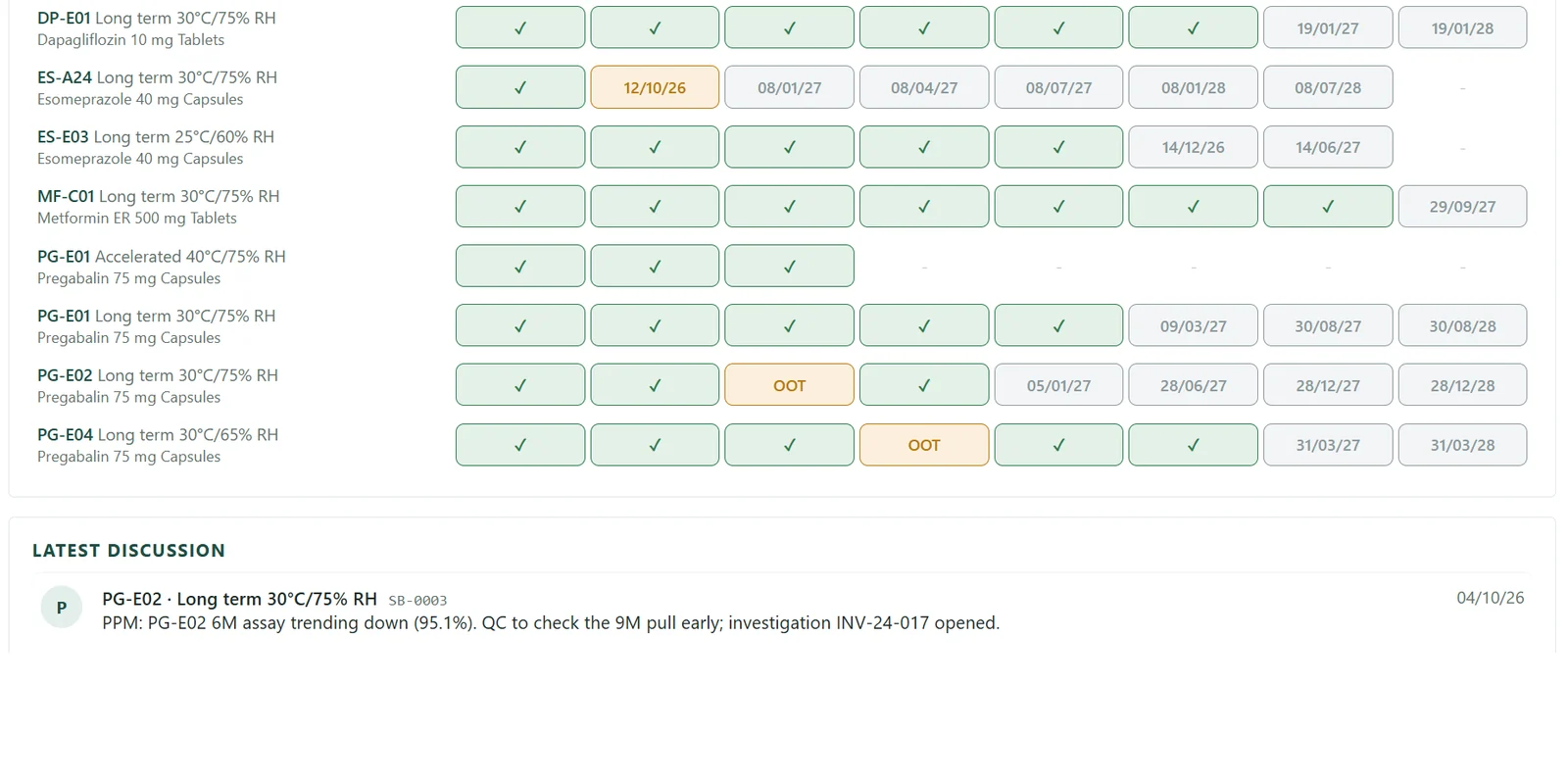
Batch and condition calendar 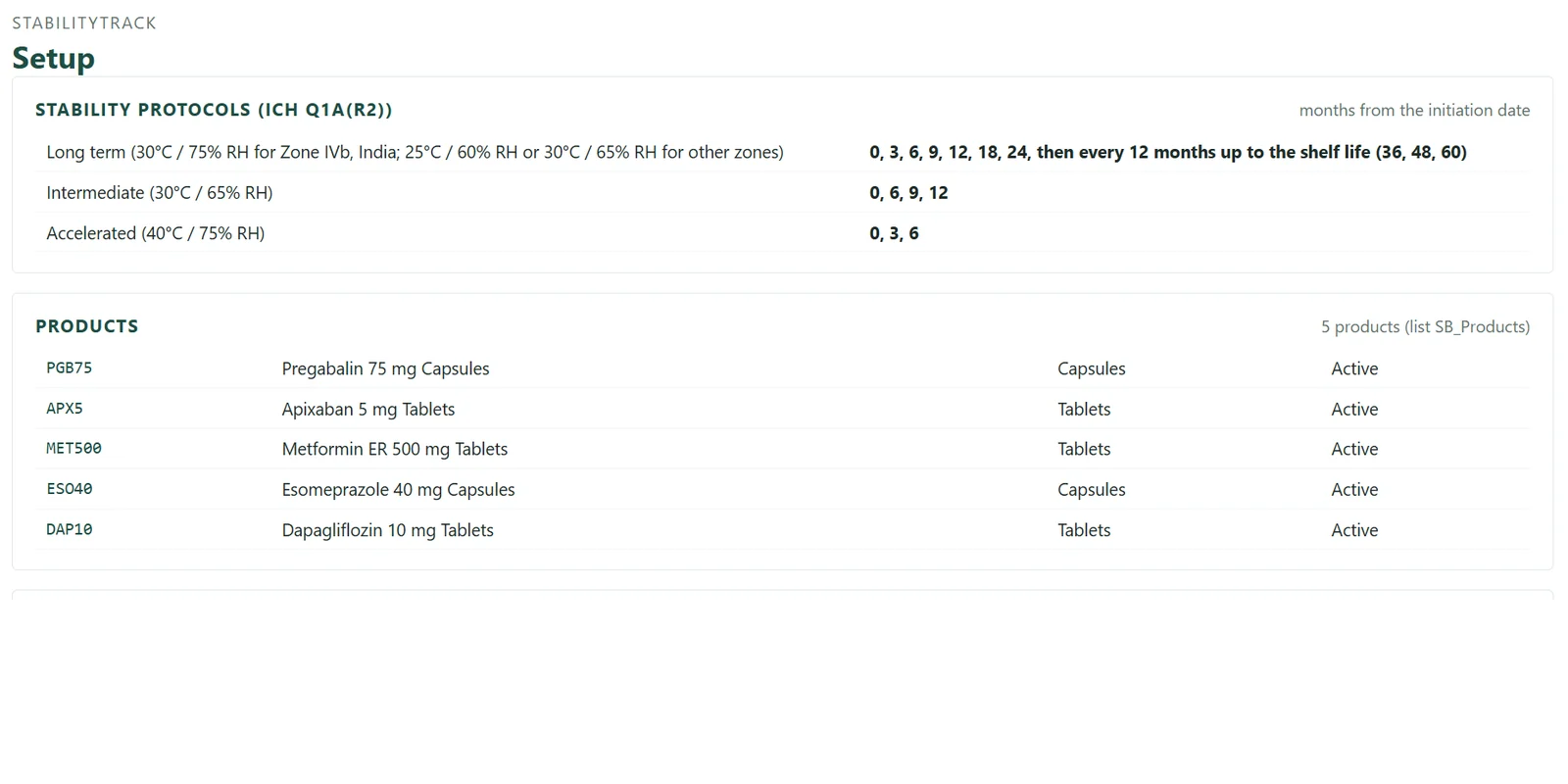
Stability protocols
Indicative screenshots with sample data. Actual screens may vary with configuration.
For leadership: what you see
Studies behind schedule, overdue pulls and the filings they support.
The question it answers
Is stability data putting any filing date at risk?
Start within a few weeks
One tracker, your current Excel imported, live inside your Microsoft 365.
Questions
Answered in seconds
Key features
Every pull point, on schedule
? Which pulls fall due in the next 30 days?
Batch and condition grid
Every batch, storage condition and time point in a single view.
Configurable pull schedules
Long-term and accelerated schedules configured to your protocols.
? Which pulls are overdue?
Upcoming pulls
Pulls falling due within the next 30 days.
Overdue alerts
Missed pulls highlighted immediately.
? Which stability studies are behind schedule?
Study status
Progress by product and batch.
Workload calendar
Planned pulls by week and month.
Who uses it
Regulatory and leadership teams see stability status relevant to filings.
QC heads plan laboratory workload in advance.
Stability analysts record pulls as they are completed.
Works with
Lab Tracker
Testing turnaround for pulled samples
RA Tracker
Stability data supporting filings
NPD Project Management
Stability milestones within the project plan
How you start
Engage with us – Experience measurable value within 30 days.
1
Choose one tracker
Begin where the pain is sharpest.
2
We study your environment and import your data
We review your Microsoft 365 setup and current Excel registers. History is retained where the data allows.
3
Live within a few weeks
Inside your existing Microsoft 365; no new servers.
4
Extend when it proves its value
Add trackers and the leadership view as you grow.
FAQ
Frequently asked questions
Does it store analytical results?
No. Results remain in your LIMS or QMS. The tracker manages schedules, dates and status, and it is not GxP-validated.
Can we define our own conditions and time points?
Yes. Conditions, time points and products are configured to your protocols.
Can we import our current studies?
Yes. Existing schedules are imported at implementation.
How quickly can we start?
Typically within a few weeks, beginning with your existing registers in Excel.
Do we need new software?
No. The tracker runs within your existing Microsoft 365; no new servers are required.
Download the Stability Tracker brochure
A two-page overview of capabilities, sent to your email.
See the Stability Tracker with sample data
A guided walkthrough of your own process, led by PMSoft.